Step 1
Your store scans the BOL
Staff photograph the Bill of Lading in the Trasio app at delivery. FuelMatch reads the key delivery details from the BOL.

Trasio FuelMatch · Fuel reconciliation
Scan the BOL at delivery. Trasio checks it against your vendor invoice and catches what you were wrongly billed.
We work the dispute for you — on the tablet your team already uses. No new hardware.
Fuel invoices are too easy to get wrong.
Matching every delivery to every invoice by hand rarely happens. The paper BOL gets left at the store, the invoice arrives later, and the draft can clear before anyone looks closely. One missed discrepancy quietly becomes thousands of dollars gone.
How it works
FuelMatch checks every fuel delivery against the invoice. When something is wrong, Trasio opens the case, tracks the dollars at risk, and works the issue with your vendor so your team does not have to.
Step 1
Staff photograph the Bill of Lading in the Trasio app at delivery. FuelMatch reads the key delivery details from the BOL.
Step 2
We compare the vendor invoice against the BOL. If everything matches, no further action is needed.
Step 3
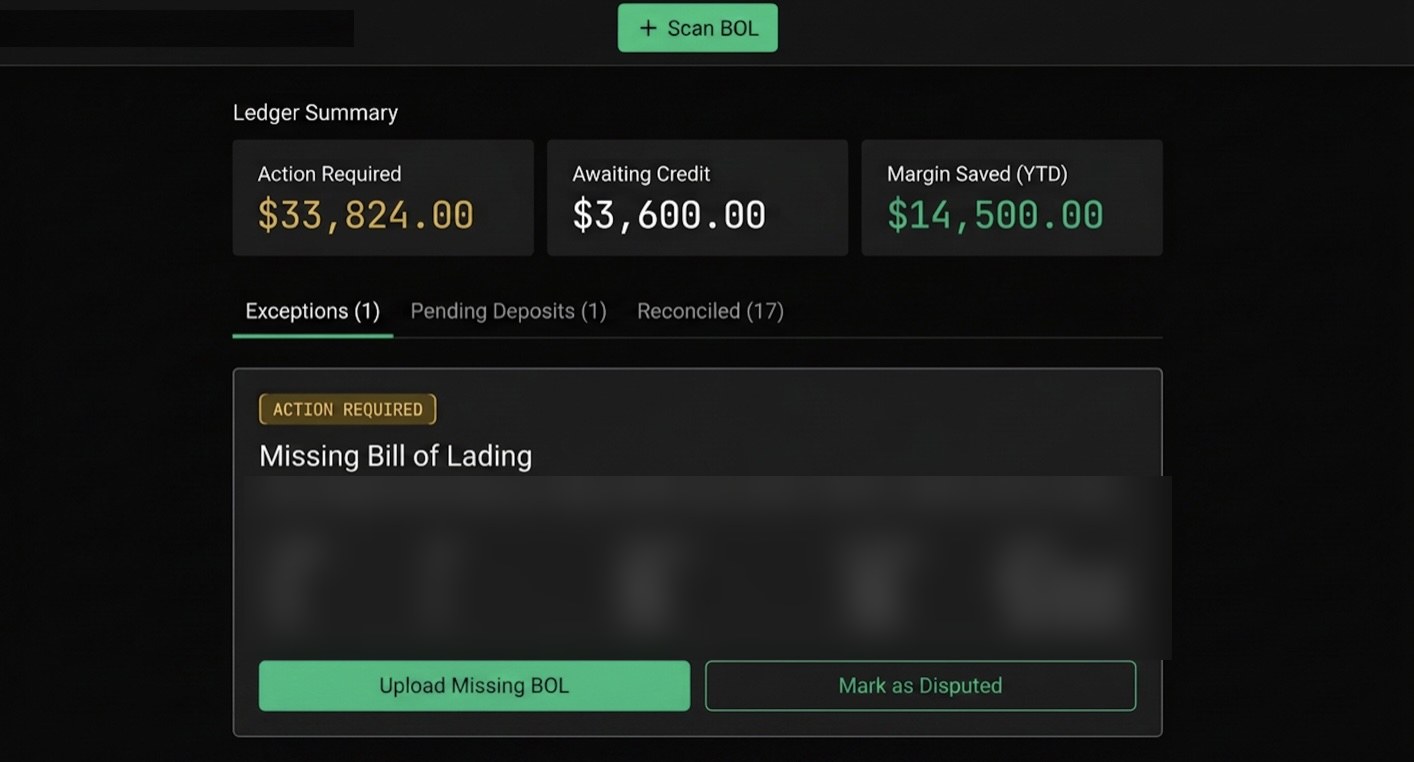
If something does not match, FuelMatch flags the discrepancy and our team takes it forward with the vendor. You see which deliveries are at risk, how much is on the line, and where each case stands.
The proof
These are not edge cases. They are the kinds of errors that sit in fuel invoices right now.
Phantom delivery · example
8,800 gallons of 87 invoiced with no BOL on file — a charge for fuel that never showed up.
Overbilled volume · example
The vendor billed 142 more gallons than the BOL shows the truck dropped. Repeated over time, small misses become meaningful margin loss.
Quoted vs invoiced price · example
The quoted price and invoiced price do not match. A 5-cent difference can quietly cost you up to $500 on one delivery.
How it’s delivered
You get the benefit of automation without building a back-office reconciliation team.
Trasio software
Trasio service
For owner-operators
Fewer surprises
Risky deliveries and the dollars at stake surface as clear alerts — to your phone and in the app — before the money is gone.
Less hassle
Staff just photograph the BOL. Trasio does the checking, and our team runs the back-and-forth with the vendor.
Protected margin
Catching a single phantom or overbilled load can more than cover FuelMatch for the year.
Inside FuelMatch
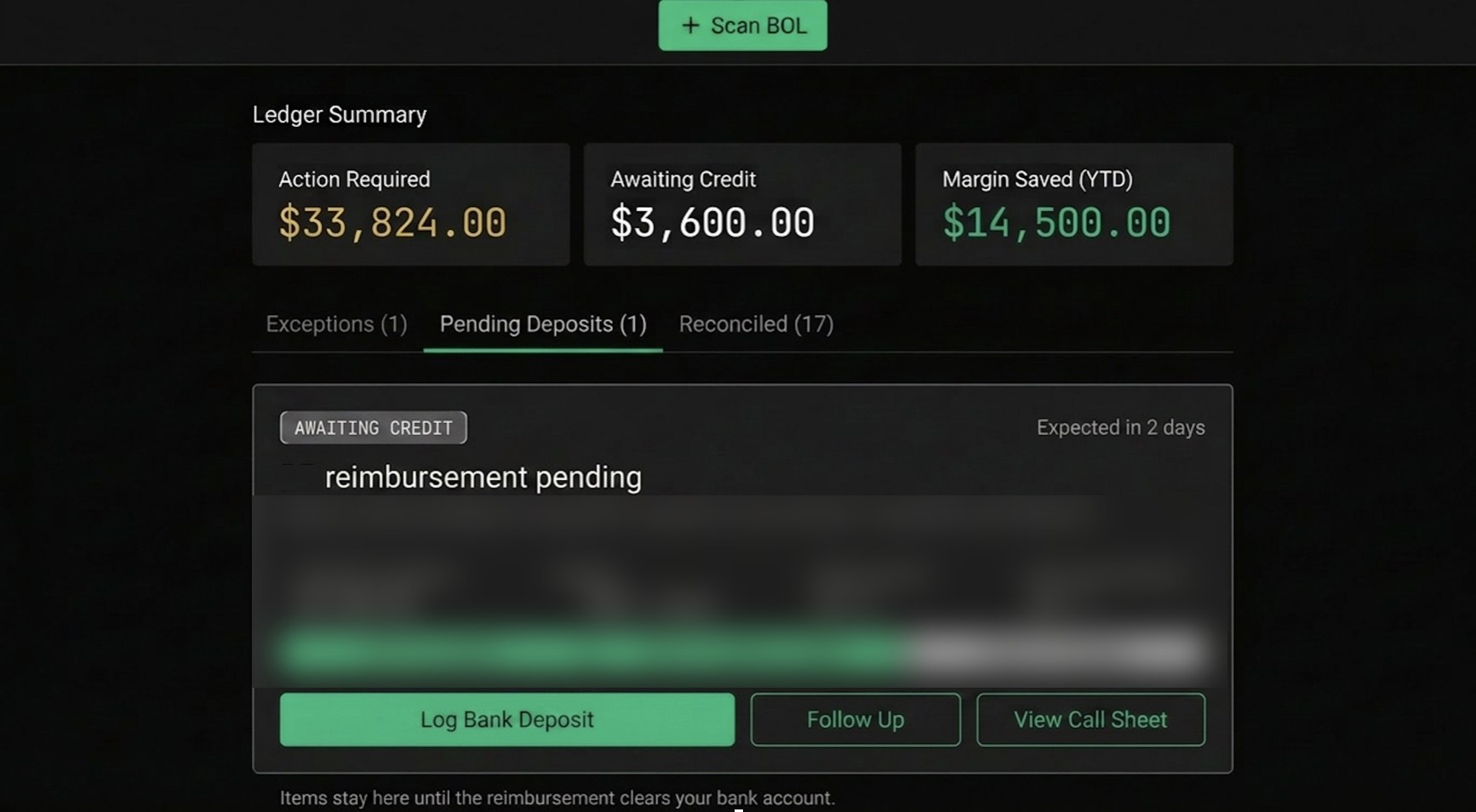
The FuelMatch dashboard ranks what needs attention first, with the dollars at stake visible on every flagged delivery.
Needs attention first
Every delivery ranked by the dollars at stake — reconciled, pending, or flagged.
Monthly view
Gallons by grade and vendor pricing, month over month.
To your phone
An SMS the moment a delivery doesn’t match — before the draft clears.
One platform
FuelMatch runs alongside Trasio ShiftCheck on the same tablets and the same login. ShiftCheck protects your cash and inventory at handoff. FuelMatch protects your fuel spend. Two of the biggest sources of loss in a convenience store — covered.
See Trasio ShiftCheck →Straight answers
Do I need new hardware?
No. FuelMatch rides on the same tablet your team already uses for Trasio. Nothing to buy or install.
Will it work with my supplier?
Yes. You scan the paper BOL and forward (or key in) the invoice. No special access to your supplier’s systems required.
How long does setup take?
Minutes. It’s a tab in the Trasio app you already run. Start scanning BOLs the same day.
Next step
Send us last month’s deliveries and invoices — we’ll show you what you were overbilled. FuelMatch is available as an add-on for Trasio stores and standalone for multi-site operators.
Pricing: a managed service, priced to your fuel volume — let’s talk. One catch often covers the year.